0
Table of Contents
Frontend testing frameworks: what to test and how to automate it
Front-end testing ensures reliable, efficient web apps, but it doesn't have to be daunting.
It just so happens that most frontend test suites go wrong before a single test is written. The team picks a framework, wires it into CI, and then decides what to test based on whatever the framework makes easy.
The order is what's important. Decide what your app needs checked, then choose the tools that check it. This guide covers the types of frontend testing that are worth it, the frameworks and tools behind each one, and what automated frontend testing needs around it to actually run (environments, CI, coverage, and reporting).
What is frontend testing?
Frontend testing checks the user-facing layer of an application: its interface, interactions, and the code that drives them. It answers questions a backend test suite never sees. Does this component render correctly with an empty list? Does the checkout flow survive a slow network? Can someone reach the submit button with a keyboard?
In practice it covers three overlapping jobs:
- verifying features and functionality, from form validation and data rendering to dynamic content and media playback;
- verifying appearance and layout across browsers, operating systems, screen sizes, and devices;
- verifying that people with disabilities can use the result.
Automated frontend testing is the same work executed by a machine. You write scripts that simulate user actions (clicks, typing, form submissions) and assert the expected outcome. Scripts can run automatically in CI instead of once before release, which is what makes regressions cheap to catch.
Get developers that understand your business goals
On-time project delivery. Latest coding standards. Data security.
Learn moreDecide what to test before you pick a framework
Chromatic's guide for scaled engineering teams, built on interviews with named teams, breaks the problem into five questions rather than five tools:
- Logic. Is the underlying code correct?
- Render and behavior. Does the component render and react to interaction?
- Accessibility. Does it work with a screen reader and a keyboard?
- Appearance. Does it look right in every state?
- User flows. Can someone complete a critical journey across several pages?
No single test type answers all five. That is the whole reason a test suite needs a mix, and the ratio you settle on is your frontend testing strategy. The list of tools you installed is not.
Order matters here too. Run the fast checks first: unit and component tests confirm the feature does what the ticket said. Then make it accessible, leaning on those tests as a backstop while you change markup. Then confirm the pixels match the design. End-to-end tests come last, as a finishing check on the flows that carry revenue.
Types of frontend testing
Unit tests
Unit tests check the smallest testable pieces of code in isolation: a date formatter, a price calculator, a reducer. They run in Node.js, they run in milliseconds, and they are the easiest tests to write.
They are also the ones frontend teams over-invest in. Most frontend code exists to produce markup in a browser, and a unit test never sees a browser. Keep them for genuine logic with branches worth covering.
Component tests
Component tests sit between unit and end-to-end tests. They render a component in a browser or a DOM test environment, pass it different props and states, simulate interaction, and assert the result. Because the component is isolated from most of the stack, failures are usually easier to trace, and flake is less common than in end-to-end tests.
For most product teams, this is where the return is highest. You spend your day building components; this is the test type that checks the thing you actually built.
Integration tests
Integration tests verify that units behave once they are wired together. A dropdown that works alone can break the moment it lands inside a navigation bar. These tests catch the seams: data passed between components, state shared across a page, a form that talks to an API layer.
End-to-end (E2E) tests
E2E tests drive the whole application: frontend, backend, APIs, database. They confirm a user can sign up, add to cart, and pay.
They are also the most demanding tests you own. You need a production-like environment, seeded data, and a browser in CI, so they cost more to set up and maintain than lower-level tests. Limit them to flows where failure costs money.
Visual regression tests
Front end regression testing is the broad family of checks that confirm working features still work after a change. Visual regression is its most frontend-specific member: it captures a screenshot of a component or page, compares it to an accepted baseline, and flags the differences. It catches the class of bug assertions cannot describe: a padding change that breaks a card, a font swap that clips a heading, a CSS refactor that quietly shifts a modal.
Tools worth looking at are Chromatic, Playwright's built-in visual comparisons, Percy, Applitools, and the open-source BackstopJS.
Accessibility tests
Accessibility testing checks whether the interface works for people using screen readers, keyboards, magnification, or high-contrast modes. The reference standard is WCAG, published by the W3C Web Accessibility Initiative. WCAG 2.2 is the current version, published in October 2023 and updated in December 2024; the European Standard EN 301 549, which most organizations use when addressing the European Accessibility Act, currently references WCAG 2.1.
Automate the mechanical part with axe, Pa11y, or Lighthouse. They catch missing labels, poor contrast, and broken heading order the way a linter catches syntax errors. They do not catch whether your interface makes sense in a screen reader, so keep manual spot checks in the process.
Cross-browser tests
Cross-browser testing confirms the app behaves the same outside your own machine. The list that matters in 2026 is Chrome, Firefox, Safari, and Microsoft Edge, plus mobile Safari on iOS and Chrome on Android, which is where cross-browser risk actually sits for most products today.
Internet Explorer is not on that list. Microsoft ended support for the Internet Explorer 11 desktop application on June 15, 2022. Edge is the recommended browser; legacy sites that still need the old engine run in Edge's IE mode.
Playwright covers Chromium, Firefox, and WebKit locally. Device clouds like BrowserStack and Sauce Labs cover the combinations you cannot install.
Performance testing
Performance testing measures how the application holds up in use: stability, responsiveness, and speed under load. It sits alongside the types above rather than inside them, because it runs on a different toolchain and answers a different question. Lighthouse gives you a first pass on page performance. If the slowdown is in a React app, find the bottleneck before choosing a fix. Load and stress tests need a separate process.
Comparison at a glance
| Test type | Question it answers | Typical tools | Where it runs | How much you need |
|---|---|---|---|---|
| Unit | Is the logic correct? | Vitest, Jest | Node.js | A little, for real logic only |
| Component | Does the UI render and respond? | Storybook, Testing Library | Browser or DOM test environment | A lot; best return per hour |
| Integration | Do the parts work together? | Vitest + Testing Library, Cypress | Node or browser | Moderate, around the seams |
| End-to-end | Can a user finish the flow? | Playwright, Cypress | Full app in a browser | Critical flows only |
| Visual regression | Does it still look right? | Chromatic, Playwright, Percy, Applitools | Browser + screenshot diff | Broad; cheap once wired up |
| Accessibility | Can everyone use it? | axe, Pa11y, Lighthouse | Browser, plus manual checks | Automated on every component |
| Cross-browser | Does it work outside Chrome? | Playwright, BrowserStack, Sauce Labs | Real or emulated browsers | Scoped to your actual audience |
| Performance | Does it hold up under load? | Lighthouse, dedicated load-testing tools | Browser and server | Its own process, not part of this suite |
What is honestly not worth doing
Many guides on this topic are published by companies that sell testing tools, and few of them tell you to write fewer tests. The exceptions are worth reading closely, because several come from inside that same industry.
Do not chase unit test coverage on the frontend. Chromatic's guide rates unit tests as useful only in some situations and warns against trying to cover every detail of a frontend with them. The two types it rates are always component tests and visual tests; end-to-end tests it recommends only in moderation.
Do not force TDD onto visual components. In how modern frontend teams approach automated testing, Test Double consultant Robert Komaromi argues that starting with a test is difficult when a component is a visual, user-driven thing you need to see before you can judge it. His answer is to sketch the component first, then write the test alongside it, then deliberately break the component to confirm the test fails for the right reason.
Do not give every file its own test file. In the same piece, Komaromi points out that an age-display component used in exactly one place does not need its own suite; one test on the parent that checks the displayed age covers it.
Do not spend your energy on the test-shape argument. Martin Fowler's On the Diverse And Fantastical Shapes of Testing collects the pyramid, the trophy, the honeycomb, and the rest, and notes that even the definition of "unit test" is contested: he recalls an unnamed test expert replying, in what Fowler flags as an approximate paraphrase, that the first morning of their training course covers 24 different definitions of it. Kent C. Dodds frames the Testing Trophy around return on investment, where the return is confidence and the investment is time. That is the useful question.
Justin Searls, quoted in that same Test Double post, puts it more bluntly: "Nearly zero teams write expressive tests that establish clear boundaries," and arguing about percentages is a distraction from fixing that.
Do not treat automation as a replacement for people. A healthy team still has someone who opens the product and uses it. Full coverage is not the absence of bugs.
Frontend testing frameworks and tools worth knowing
Test runners and unit testing
Vitest is the runner both Chromatic's guide and Test Double's write-up name first. It is built for Vite projects, and its Jest-compatible API can make migration relatively straightforward, although project setup still matters. It is fast enough that watch mode stays usable on a large suite.
Jest is common in established JavaScript and React codebases: zero-config for most setups, snapshot testing, built-in coverage, and a long history with React. One correction worth making, because it is repeated everywhere: Jest is no longer a Facebook project. Meta transferred it to the OpenJS Foundation in May 2022, and the core team maintains it there.
Mocha is the flexible option: frontend and backend asynchronous testing on Node.js, support for browsers including headless Chrome, and the assertion library and mocking left entirely to you. That is either freedom or homework, depending on the team.
Jasmine ships assertions, spies, and a runner in one package and is built around behavior-driven development, so test cases read close to a description of user behavior.
QUnit is still a reasonable pick for jQuery-era codebases: it runs on any web page, needs no build step, and reports results in a browser UI.
A note on Karma: it appears in a great many older guides, including our own earlier posts. It should not appear in new ones. The Karma repository now carries a plain notice that Karma is deprecated and is not accepting new features or general bug fixes. If you are on Karma today, Vitest, Jest, or a browser-based runner are the migration paths.
Component testing
Storybook lets you describe each component variation (default, loading, error, empty) as a story, then run those stories as tests in a real browser. Because the component renders visually, you debug it with normal browser devtools instead of reading a stringified DOM.
Testing Library is not a runner. It is the query layer you use inside one, and its value is that it pushes you to find elements the way a user would: by role, by label, by visible text, rather than by class name or internal state. Pair it with Mock Service Worker to intercept network calls at the request level instead of mocking your own modules.
Browser automation and end-to-end testing
Playwright drives Chromium, Firefox, and WebKit from one API, runs tests in parallel, and includes screenshot comparison and trace-based debugging out of the box. For teams starting fresh on E2E and cross-browser work, it is the shortest path to covering all three engines.
Cypress is built for JavaScript developers and is unusually pleasant to debug: tests run inside the browser, and you can step back through each command. It supports Chrome, Edge, and Firefox, plus experimental WebKit support. WebKit exercises Safari's browser engine, but it is not the Safari application or a substitute for testing Safari on Apple devices.
Puppeteer automates Chrome and Firefox. It is especially useful for browser scripting, screenshots, PDF generation, and workflows built around Chrome DevTools Protocol features.
Selenium is the veteran. It automates every major browser, and test scripts can be written in Java, JavaScript, Python, C#, Ruby, and more, which matters when your QA engineers are not JavaScript developers.
| Tool | Best for | Browsers | Worth knowing |
|---|---|---|---|
| Vitest | Unit and component tests in Vite projects | Node, jsdom, browser mode | Jest-compatible API |
| Jest | Unit and component tests, React and Babel stacks | Node, jsdom | OpenJS Foundation project since 2022 |
| Mocha | Flexible unit and integration testing | Node, browsers | Bring your own assertions |
| Jasmine | BDD-style suites with no extra dependencies | Node, browsers | Assertions included |
| QUnit | Legacy jQuery-era codebases | Any web page | No build step needed |
| Testing Library | Querying the UI as a user would | Runs inside another runner | Not a test runner |
| Storybook | Component tests with visual review | Real browser | Stories double as test cases |
| Playwright | E2E, cross-browser, visual comparison | Chromium, Firefox, WebKit | Parallel by default |
| Cypress | E2E with strong debugging | Chrome, Edge, Firefox; experimental WebKit | Time-travel debugger |
| Puppeteer | Browser scripting, screenshots, PDFs | Chrome, Firefox | Chrome-focused tooling with Firefox support |
| Selenium | Cross-browser at scale, mixed-language teams | All major browsers | Widest language support |
What automated frontend testing actually requires
A framework is one part of the setup. Six pieces have to exist before automated tests are useful on a real project.
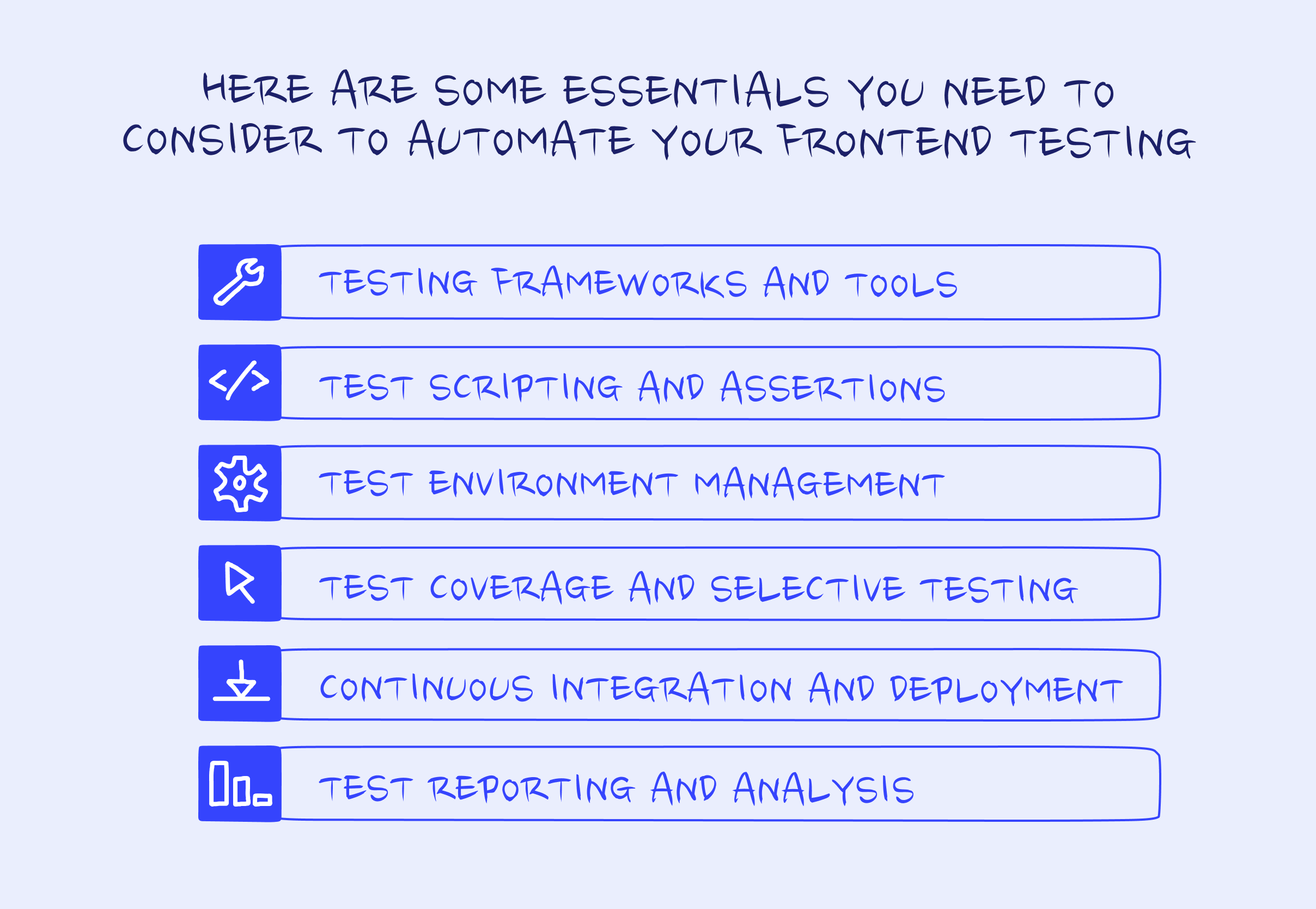
- Frameworks and runners. The runner executes suites, manages fixtures, and reports results; the automation library drives the browser. Vitest or Jest for the first job, Playwright or Cypress for the second.
- Test scripting and assertions. Tests are code, usually JavaScript or TypeScript, and they define a sequence of actions plus assertions comparing the actual result to the expected one. Treat them as code: review them, refactor them, delete the ones that stopped earning their place.
- Test environment management. Docker gives you a reproducible environment, so a test that passes locally is far more likely to pass in CI. Device clouds like BrowserStack and Sauce Labs cover the browser, OS, and device combinations you cannot run yourself.
- Coverage and selective testing. Automated tests can target specific components, pages, or flows, so you can run the fast subset on every save and slower suites at release, scheduled, or risk-based gates. Coverage tooling tells you what is untested; it does not tell you what is well tested, and chasing a percentage is the fastest way to end up with the suite from the opening paragraph.
- Continuous integration. Tests are most useful when they run at the right development gates. GitHub Actions is a common CI option for repositories hosted on GitHub; Jenkins and GitLab CI remain common choices for teams already using that infrastructure. Make fast, high-signal checks required for merge, and run heavier end-to-end, device, or performance suites at the gates where they provide enough value to justify their runtime.
- Reporting and analysis. A failing build has to explain itself. Allure, Mochawesome, and Playwright's built-in HTML reporter turn pass/fail counts into readable traces, screenshots, and error context, which is the difference between fixing a flaky test and muting it.
Why automate frontend testing
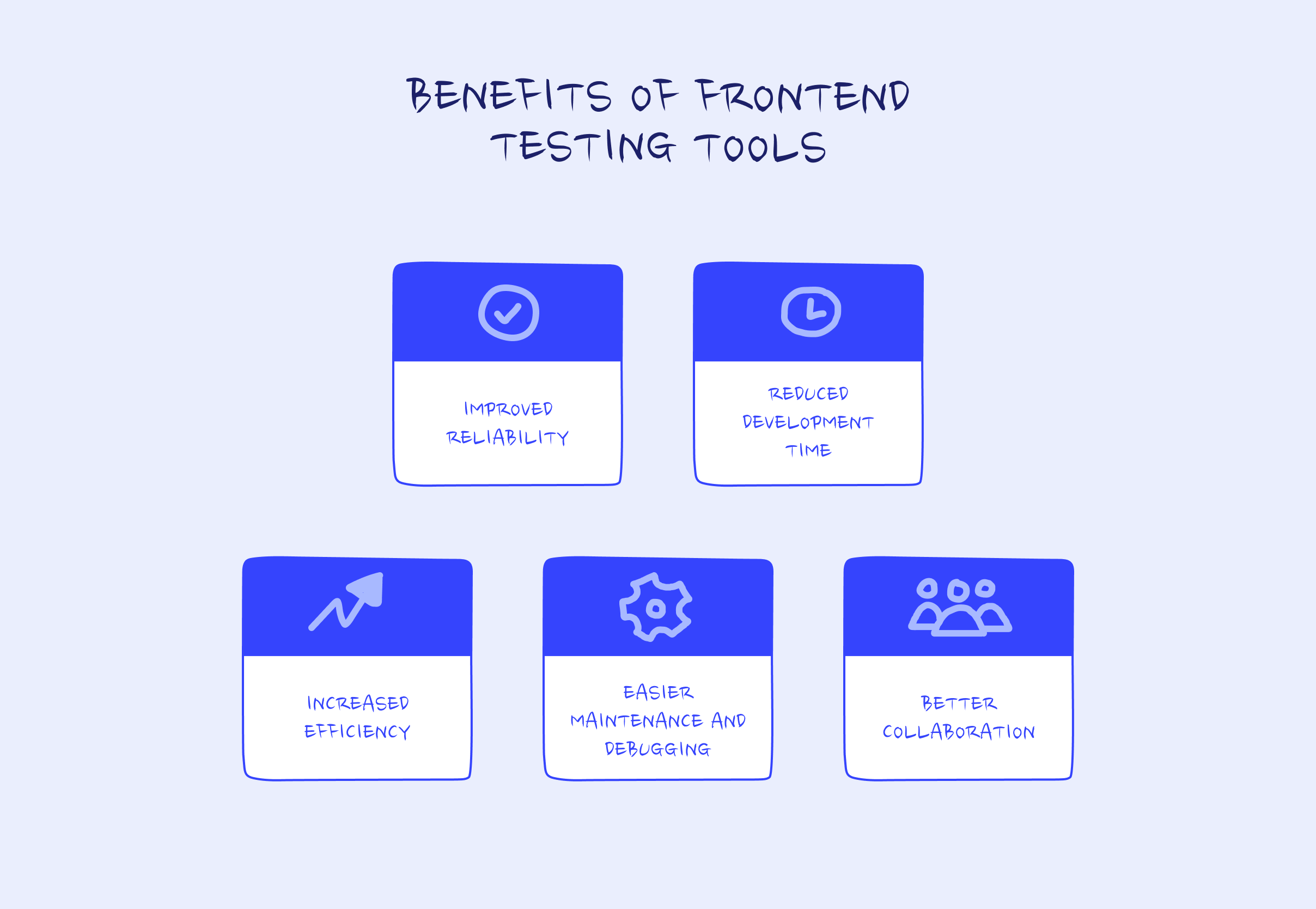
You catch regressions early. Tests that run early in the delivery workflow find the break within minutes of the change that caused it, while the person who wrote it still remembers why.
You spend less time on manual checks. Every scenario a machine verifies is a scenario nobody has to click through before release. That time compounds across a release cycle.
You get wider coverage than manual testing can reach. Automated suites can exercise browser, device, and state combinations no team has the hours to check by hand.
You can refactor with a safety net. A suite you trust is what makes it reasonable to restructure a component, upgrade a dependency, or change a design system token.
The team works from shared evidence. Test results in a pull request give developers, QA, and product the same picture of what is broken, which shortens arguments.
None of this makes bugs impossible. It makes the common ones cheap to find.
How to choose a frontend testing framework
Match the framework to the project first:
- Stack compatibility. It should fit your build tooling, language, and application framework without requiring a custom wrapper. If you have not chosen the application framework, compare the broader frontend framework options before choosing test tooling. For Vite, evaluate Vitest first; for a mature Jest setup, staying put is often the better choice.
- Extensibility. Can you customize reporters, matchers, and setup for the way your team works?
- Learning curve. Clear syntax, real documentation, and an active community decide how quickly the rest of the team writes tests without help.
- Scalability. Consider suite runtime at ten times the current test count, and whether the tool runs in parallel.
- Coverage of the test types you need. A runner that handles units brilliantly still will not give you cross-browser E2E.
- Licensing and integration cost. Check the license, any per-seat or per-snapshot pricing on hosted services, and how well it plugs into your CI.
Most frontend testing best practices reduce to this: pick the tool your team will actually maintain, and check the second-order things before you commit. How widely the tool is adopted, how much it locks you in to a single vendor or proprietary format, the quality of its documentation, and how alive its community is when you hit an unusual problem all matter more than a feature checklist. A tool with an answer on the first page of search results costs less than a technically superior one without.
Where a development partner fits
Testing setups tend to fail for a boring reason: the people who could maintain them have shipping deadlines. If your frontend is carried by a small team, or by contractors who rotate, the suite decays until nobody trusts it.
That is a staffing question more than a tooling one, and it is worth answering before you commit to an E2E environment somebody has to keep alive. Merge supports the build side of this decision through front-end development. On Edgeport, the work included a React, Redux, TypeScript, and Next.js front end. For Restream, Merge became an on-call web team that maintains and extends the site over time. Clear component boundaries and interfaces make component and integration testing easier to maintain, so they are worth evaluating when you choose a development partner.
Frequently asked questions
What is front end testing?
It is the process of checking an application's user-facing layer (interface, interactions, and the code behind them) to confirm it works, looks right and is usable across browsers and devices.
What types of frontend testing are there?
Unit, component, integration, end-to-end, visual regression, accessibility, and cross-browser testing. Most teams need a mix; the useful question is the ratio, not the list.
Is unit testing worth it on the frontend?
Sometimes. Unit tests are cheap and fast, and they are right for genuine logic. Because most frontend code targets a browser, component tests usually return more confidence per hour spent.
Which frontend testing framework should I start with?
For a new project, Vitest for unit and component tests plus Playwright for end-to-end coverage is a defensible default. On an existing Jest codebase, keep Jest and add the browser layer.
How much test coverage do I need?
There is no correct number. Coverage measures which lines ran, not whether the assertions were meaningful. Aim for coverage of the flows that would cost you if they broke.
What is the difference between frontend and backend testing?
Backend testing checks data, business logic, and APIs. Frontend testing checks what the user sees and does, which adds rendering, layout, browser differences, and accessibility to the list of things that can fail.
Is Karma still a valid choice?
No. The Karma repository states the project is deprecated and not accepting new features or general bug fixes. Move to Vitest, Jest, or a browser-based runner.
Start narrow, then widen
The teams with test suites they trust did not start by choosing a framework. They picked the flows that would hurt if they broke, covered those, and added test types as the cost of not having them became obvious.
Start with component tests on the parts of the interface you change most. Add visual regression once those exist, because it piggybacks on tests you have already written. Put end-to-end tests on a small set of critical journeys that carry your revenue. Wire the lot into CI so nobody has to remember to run them. Then leave the ratio debate to the internet.
If your UI layer needs building or rebuilding before any of that is realistic, our React Storybook work covers component libraries with documented, isolated components, which is the foundation every technique above assumes.