0
Table of Contents
UX design handoff checklist: a step-by-step guide
Check ten areas before handing designs to developers, with a copyable worksheet and a SaaS example covering states, scope, and open decisions.
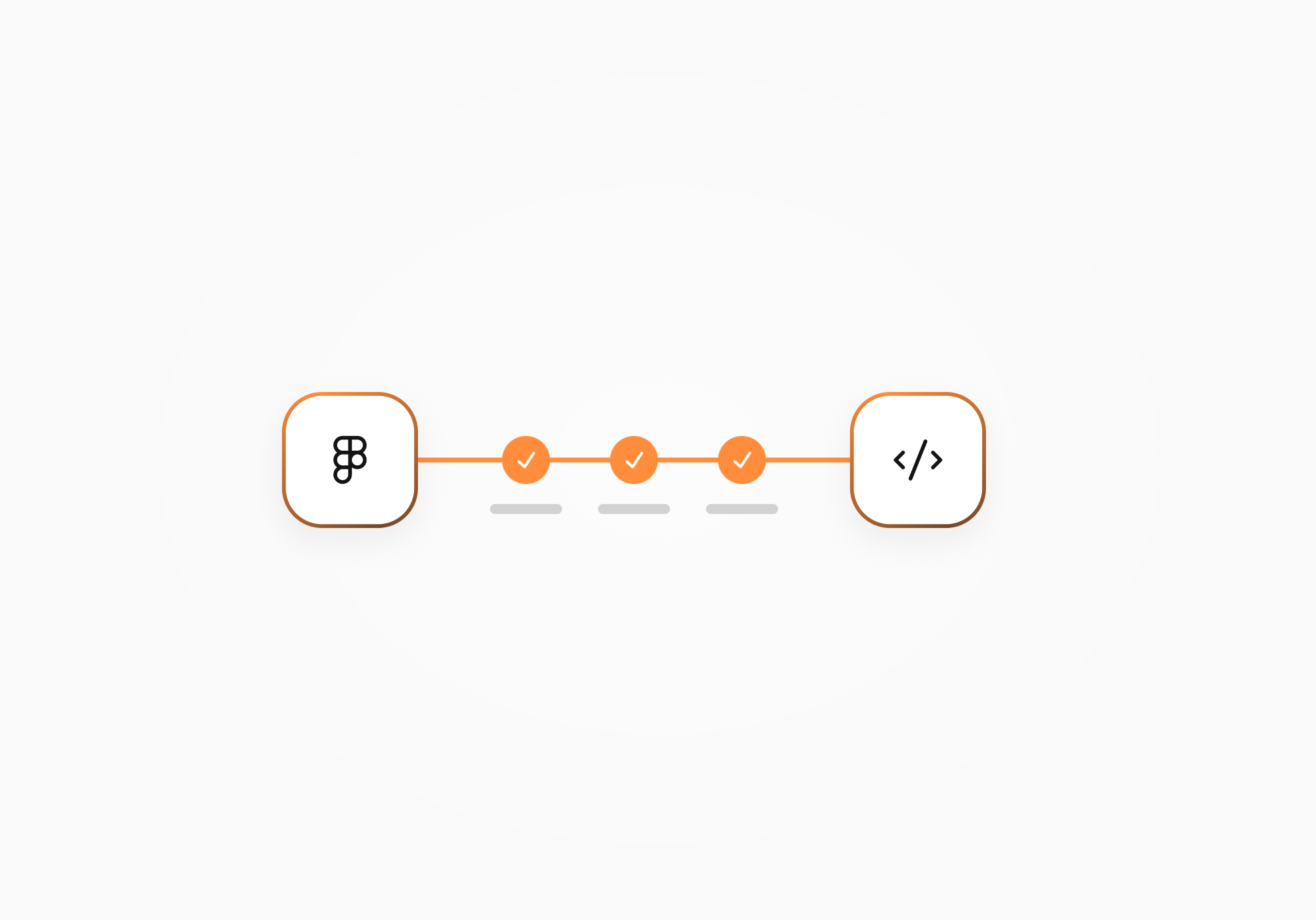
A design handoff checklist helps you check whether developers have the approved screens, behavior rules, assets, and context to start building. It should also make clear what still needs a decision and who can answer the question.
An effective handoff gives designers and developers a shared starting point. If either team misses a detail, the back-and-forth messages needed to clarify it can become frustrating. This is where a checklist comes in handy.

Want to have an efficient, business-oriented design?
View a recorded webinar with Pavel Tseluyko on how design adds value to your business.
Watch nowWhat is a design hand-off?
A design hand-off is the stage where designers share the approved design and the information developers need to implement it. That includes how screens connect, how interactions behave, which visual rules apply, and where to raise questions.
Collaboration continues as developers work through the details. Agree on a baseline they can build from, then record changes against it so a decision made during development reaches everyone who needs it.
What is a UX design hand-off checklist?
A UX design hand-off checklist is a list of items a designer or UX design services company reviews before sharing approved work with development. It helps the team check readiness for the agreed build and spot missing information.
The checklist will vary with the project. A small update to an existing flow may reuse components and research you already have; a new product area may need more explanation. Mark those differences so everyone understands what's included.

Does your website meet your conversion benchmarks?
Not quite? We have solutions to get you there.
Learn moreImportance of having a smooth design hand-off
Designers and developers may be working to different deadlines, across departments, or with people who missed the earlier design reviews. A well-planned handoff gives them a place to find the information behind the work, including decisions that would otherwise stay in someone's memory.
Use these ten areas to review what your team needs. Where a check falls outside the agreed scope, record the reason and any dependency it leaves for development.
Design specifications
Create and share the design specifications developers will use: layout, spacing, iconography, color palette, typography, and relevant component rules. Link to the styles and components already created, and explain deliberate exceptions.
Give the team one starting link to the approved version, with its date, status, and included flows. Check that the receiving developer can open it and inspect the details. Add the reasoning behind decisions that affect implementation, along with known constraints, such as an existing component or unavailable data.
Design deliverables
Gather the screens, flows, wireframes, prototypes, mockups, and style guidance created for the agreed work. Identify which are approved for implementation, which provide background, and what's missing. Include the necessary states and assets, with export formats agreed with development.
For example, Merge's Product Design handoff includes approved designs in editable Figma, with screens, agreed flows, and necessary states within scope, plus the components, styles, and assets created for that project. Research, usability testing, and a full design system depend on the agreed scope.
Interaction design
Document what triggers an interaction and what happens next. Cover navigation, back and cancel actions, validation timing, and relevant loading, success, and error states. Include permissions and recovery behavior where the flow needs them.
For an invite form, explain whether an invalid email is flagged on submission or earlier, what appears while the request is pending, and whether entered details remain after an error.
A prototype can help explain a complex sequence; short annotations may be enough for a straightforward action. When motion matters, specify its trigger, timing, and transition behavior.
Accessibility
The next thing to do is to review the design against the accessibility requirements agreed for the product. Give developers concrete notes they can implement and check:
- Show the expected keyboard path and focus appearance. Consider sticky headers and overlays that could hide a focused control; W3C's Focus Not Obscured guidance explains the minimum requirement.
- Provide labels or instructions for inputs, including the information a person needs to complete a field.
- Check text contrast in the relevant states and backgrounds.
- Explain error feedback and which status messages need to be available to assistive technology without moving focus.
A visible field label still needs the correct programmatic association in code. Keyboard behavior, screen reader output, and other implementation requirements need checking in the working interface. A Figma review alone can't establish accessibility compliance.
Responsive design
Review the platforms and widths included in the project, then explain what happens between the supplied layouts. Specify how columns stack, navigation changes, content wraps or truncates, and scrolling works. Keep the priority of information clear when space gets tight.
Try representative content: long email addresses, missing values, and multiline error text. W3C's reflow guidance is useful for reviewing content as space narrows or people zoom in; it includes exceptions for content that needs a two-dimensional layout. Agree product breakpoints with development.
User research
Did you carry out user research? Share the findings that influenced the design, with links to the available evidence and enough context to explain the decision. A developer can better assess a proposed shortcut when they know why that part of the flow exists.
Separate findings from assumptions. If research was outside scope, record that limitation and any question the team still needs to validate.
Usability testing
When usability testing was part of the work, share the tasks tested, relevant findings, changes made, and unresolved issues. Give the team a way to trace a finding to the screen or interaction it affected. Productive UX feedback can also help reviewers explain what needs attention.
Checking layouts at different resolutions belongs in responsive review. Usability testing examines how people complete tasks; record what was actually tested before calling a flow validated.
Design consistency
Sometimes elements move out of place during design. Check their location, spacing, text styles, and behavior across the approved screens. Match repeated patterns to the components, styles, or tokens your project uses.
Where a coded component already exists, agree how its design counterpart maps to it. Explain intentional exceptions so developers can distinguish a new requirement from a stray variation. A collection of project components may be enough for this build; a full design system requires its own agreed scope.
Visual hygiene
Make the approved area easy to navigate. Name screens, layers, and groups by their purpose, such as navigation or footer, and organize flows in the order a person follows them. Check that exports are available and clearly named.
Move old explorations, unused guides, and superseded versions into a separate archive. Keep the history available and use distinct version labels to identify the current implementation target.
Want to have an efficient, business-oriented design?
View a recorded webinar with Pavel Tseluyko on how design adds value to your business.
Watch nowQuality assurance and final approval
Name the people reviewing the handoff and what each needs to approve. The designer can check visual intent, the product owner can resolve business rules, and an engineer can flag implementation dependencies. Record any open decision, its owner, and whether it blocks the agreed build.
Walk through the work together or use an agreed async format. Decide where questions go, who approves a deviation, and who updates the approved design or specification afterward.
Also clarify responsibility for front-end implementation and review during development. Merge scopes formal engineering review and design QA during the build separately. Record who will carry out those checks and when.

A copy-and-use design handoff checklist
Copy these checks into your team's document or task tracker, then add the fields shown below. This design-to-development handoff checklist is a starting point you can adapt to the build.
- [ ] The approved version is identified and accessible to the receiving developer.
- [ ] Included flows, deliverables, exclusions, and known constraints are recorded.
- [ ] Relevant interactions, states, permissions, and recovery rules are explained.
- [ ] Visual rules, components, final copy, and exportable assets are available.
- [ ] Responsive behavior and content or data variations are documented.
- [ ] Accessibility requirements and checks needed in implementation are identified.
- [ ] Existing research and usability findings are linked; assumptions are labeled.
- [ ] The approved files are organized, with earlier iterations archived separately.
- [ ] Open questions have an owner, and the team has agreed how decisions are recorded.
- [ ] Review criteria, approvals, implementation responsibilities, and QA support scope are clear.
| Check | Scope | Evidence/link | Owner | Open question | Status |
|---|---|---|---|---|---|
| Copy a relevant check here | Feature, platform, or agreed boundary | Link to the approved screen, note, or ticket | Person responsible | Decision needed, or “None” | Done / Needs decision / N/A |
Use Done when the check is supported by the linked evidence. Use Needs decision when information or agreement is missing. Use N/A with a reason, such as “No motion is specified in this flow.” Record an engineering dependency explicitly, and agree which open items block development.
A filled example: a SaaS invite flow
Suppose your team is handing over an email invitation flow for a B2B SaaS product.
The following is a hypothetical example, and its decisions and evidence references are purely illustrative.
In this example, an administrator enters an email, submits the invitation, sees progress, and receives confirmation or an explanation of the problem. The proposed error behavior preserves the entered address. Permission to resend or cancel an existing invitation still needs a product decision.
| Check | Scope | Evidence/link | Owner | Open question | Status |
|---|---|---|---|---|---|
| Approved version and access | Email invitation flow, version A | Example approved-flow record; receiving developer has checked access | Designer | None | Done |
| Invalid email | Validate on submission; keep the entry and show an inline message | Example form-state note | Designer | None | Done |
| Pending and success | Show sending progress, prevent repeat submission in the UI, then show confirmation on a successful response | Example interaction note | Designer | None for UI behavior; request handling is tracked below | Done |
| Request failure and permissions | Preserve the entry after failure; show recovery guidance and an unavailable-action message when permission is denied | Example error-state note | Engineer | Confirm service responses and safe retry behavior | Needs decision |
| Resend or cancel | Existing pending invitations | Example open-decision record | Product owner | Which roles may resend or cancel? | Needs decision |
| Responsive content | Long addresses and multiline errors at the agreed widths | Example layout note: email wraps, errors expand the form, actions stay reachable | Designer | None | Done |
| Accessibility verification | Keyboard operation, input association, and status announcements in the build | Example implementation review task | Engineer | Verify behavior in the working interface | Needs decision |
| Motion | No custom animation in this flow | Example scope note: static transitions agreed | Designer | None | N/A — custom motion outside scope |
The permission and retry questions need resolving before the affected behavior is built. The accessibility row records a later implementation check, so the team can schedule it as a release requirement. Agree those dependencies with the people doing the work, and update the records when decisions are made.
Design handoff FAQs
What should be in a design handoff document?
Include the approved version and scope, relevant screens and flows, behavior and state rules, visual specifications, assets, responsive notes, and accessibility requirements. Link the research or rationale that explains important choices. Add open questions, owners, and approval criteria so developers can see what is ready and what needs clarification. The worksheet above gives you a place to record each item.
Why do design handoffs still cause problems?
Unspecified behavior, unclear versions, and decisions recorded only in chat can leave developers without the information they need. Review the handoff with the receiving team: confirm the approved version, walk through the relevant states, and record decisions alongside the designs. Agree who will answer questions during development.
What tools help with design handoff?
Use tools your team can access and inspect. Figma's Dev Mode exposes measurements, component properties, and code snippets. Keep behavior notes and design rationale alongside the relevant screens, and use an agreed document or task tracker for unresolved decisions. Generated specifications still need context, and the implementation needs review against the product's requirements.
How can agile teams handle design handoff?
Apply the checklist to the feature or flow agreed for the upcoming build. Involve developers while technical questions can still influence the design, then identify the approved version and record changes as work continues.
Keep later ideas separate from that baseline. Each handoff should explain the complete behavior of its agreed scope, including the states and dependencies needed to implement it.
In summary
A design handoff takes coordination. The checklist helps you keep track of the information developers need, the decisions still open, and the people responsible for resolving them. Adapt it to your project, keep the approved version easy to find, and bring answers back into the shared records as development progresses.
Need a clearer design-to-development handoff for an upcoming build? Talk through the scope with the Merge Product Design team.