0
Table of Contents
What is product design for digital products?
Product Design helps digital teams turn user, business, and technical evidence into decisions about what to build, how it should work, and what to test next.
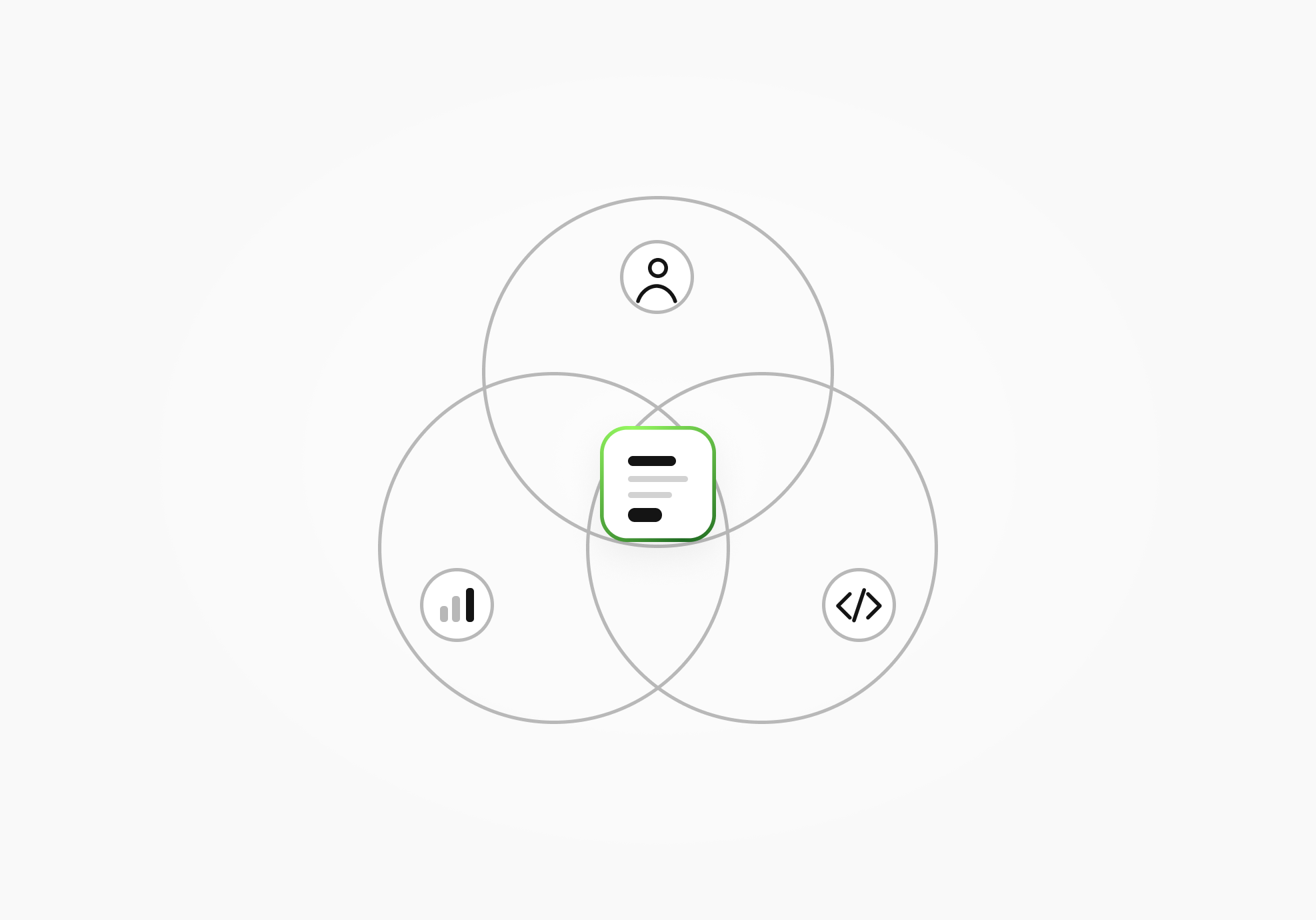
Product design for digital products connects what people need with what a business is trying to achieve and what the technology can support. It includes working out what to build, designing how it behaves and looks, and testing whether people can use it.
Have you ever opened an app or a website and thought, “Wow, this looks and feels great!”?
Product design contributes to that warm and fuzzy feeling. The interface's appearance and feel also belong here, alongside understanding what people need and how the product will support them.
This guide focuses on apps, platforms, and software workflows. Product design also covers physical products, where materials and manufacturing introduce a different set of considerations.
Product design questions
Before drawing any screens, work out what the product is meant to do for someone. These questions give you a starting point, whether you're considering a new product or trying to improve one you already have.
What is the problem?
A request to “simplify onboarding” already contains an assumption about the solution. People might be struggling with the interface, waiting for access, or unsure why they need the product in the first place. Those situations call for different responses.
Interviews, observation, support conversations, and product data can help you understand what is happening. Choose the research method that fits the question you need to answer and the evidence it can provide, and let its limits shape the conclusion. A conversation about someone's difficulties and a record of what they actually did offer different views of the problem.
If you are still exploring an idea, treat your first concept as a hypothesis. A convincing mockup makes a proposal easier to discuss without establishing that the need exists.
For an existing workflow, define what “underperforming” means before choosing a redesign. Identify the affected task and the evidence you would use to judge a change. The cause may involve product rules, missing information, technical behavior, or a mismatch with the person's actual work.
For a high-stakes feature or redesign, identify the dependencies and decisions that would be expensive to reverse. Agree what evidence you need before committing to the design.
Who are we solving the problem for?
“New users” is a starting label. It tells you little about what someone knows, what they are trying to accomplish, or the circumstances in which they will use your product.
Research can help you fill in that picture. Personas may summarize the findings, provided they remain tied to evidence and can change when you learn more.
What business goals do we need to achieve?
Your brief might name retention, fewer support requests, expansion into a new segment, or revenue from a new feature. These are goals to investigate. They need to connect to a problem the product can address, and any claim that a design change achieved them needs supporting evidence.
Product leaders remain responsible for priorities and direction; design helps them examine the options.
Technical constraints belong in this discussion too. Data availability, security requirements, dependencies, and implementation effort can rule out a direction before the team spends time polishing it.
The importance of interface design in product development
You've heard of love at first sight, but what about love at first 'site'? A product's appearance is part of the experience people have with it. So are the labels on its buttons, the feedback after an action, and the help available when something fails.
Enhancing user experience
An interface gives people a way to act on what the product can do. Navigation, content, and interaction states all need to make sense in the context of the task.
For a form, check whether an error identifies the affected field and explains what needs to change without making the person re-enter everything.
A visual treatment also needs to be reviewed for readability and accessibility in its actual context.
Building brand identity
Typography, color, imagery, and the tone of the interface give you room to express a brand. Those choices also have work to do: a person still needs to read a label, distinguish an action, and understand what happened after selecting it.
Creative direction can influence how a familiar interaction feels without changing the underlying task. A quiet visual style and a more expressive one may both be appropriate, depending on the product and the people using it. There is no need to make every interface look alike to make it understandable.
Keep the language and behavior consistent with the product's explanation on the website. If a button saves a draft, its label and confirmation should leave that state clear.
Considering customer experience in the design process
The screen someone is using sits inside a longer experience. They may have arrived from an invitation, followed instructions in an email, or opened a support article to understand what to do next.
Consider those connections when reviewing the interface. Someone arriving before their access is ready needs an explanation and a next step. A person seeking help needs to find the relevant support route. These are specific situations to examine rather than evidence that the interface alone determines customer satisfaction.
The role of design tools in the process
Think of a chef without their knives or a painter without their brushes. Designers have tools for making ideas visible, trying interactions, and sharing the details other people need to work with them.
The choice depends on the work. A tool's feature list will not tell you whether your team has understood the problem or whether the proposed interface will make sense to its users.
Choose tools and working outputs around the question you need to answer. The following map is an editorial guide, with the actual set depending on your product, risk, and team.
| Question the team needs to answer | Decision the work may inform | Evidence that may help | Possible outputs | Frequent collaborators |
|---|---|---|---|---|
| Whose problem is in scope, and in what situation? | Which problem and audience deserve attention | Interviews, observed behavior, support evidence, market and business context | Problem framing, assumption map, research summary | Product, research, domain experts |
| What should the product or workflow help people accomplish? | The priority outcome and end-to-end flow | Current tasks, journey evidence, constraints, competing needs | Journey or user flow, information architecture, scope notes | Product, UX, engineering |
| What belongs in the next product decision? | Feature or interaction scope and its tradeoffs | User value, feasibility, risk, dependencies | Concepts, decision record, prioritized direction | Product, engineering, stakeholders |
| How should the product behave and communicate its state? | Interaction behavior, content, and interface patterns | User feedback, technical constraints, content and state inventory | Wireframes, prototype, UI patterns, state map | UX, UI, content, engineering |
| What evidence would make the team revise the plan? | The test question and the next action | Usability findings, product signals, technical validation | Test findings, revised prototype, open-question log | Research, product, engineering |
| What needs to be clear before implementation? | Build-ready scope, dependencies, and ownership | Reviewed flows and states, feasibility input, acceptance context | Approved screens or flows, component changes, handoff notes | Design, product, engineering, QA |
Visualizing interface design
Sketches, flows, wireframes, and screen designs give the team something concrete to discuss. They can show where information belongs, how a task moves between screens, or which states still need attention.
High-fidelity prototyping
A flow can expose a missing step. A prototype lets the team examine how an interaction might work before committing to implementation. Match its detail to the question: a rough flow may be enough to discuss structure, while feedback on behavior or interface states may need a more detailed prototype. More detail takes work, so decide what you need to represent before building it.
A test may reveal that a control is misunderstood, that a state is missing, or that the proposed behavior has a technical dependency. Use the findings to decide whether to refine the interaction or return to the assumptions behind it. Keep conclusions within the tasks and conditions examined; those findings do not, on their own, establish retention or a commercial result. Our product design process guide covers the wider process.
Streamlining design team communication
Design material needs enough context for the people discussing it. A screen can show a proposed layout while leaving its behavior, constraints, or unresolved questions unclear.
Record those details alongside the work. The decision owner, the people affected, and the evidence behind a choice give reviewers something specific to respond to. The tool holds the material, but your team still needs to decide what it means and what happens next.
Managing product designer roles
Companies divide design work differently. One person may cover several areas, or a team may assign specialists. Use the following focus areas to discuss responsibilities rather than assuming that a job title settles ownership.
| Discipline | Primary focus | Typical decisions | Frequent outputs or contribution |
|---|---|---|---|
| Product Design | The end-to-end product problem, experience, and direction | Which problem and workflow to address; how a concept should work; what to test or clarify for implementation | Problem framing, flows, prototypes, interface direction, decision records, handoff context |
| UX Design | User behavior, task flows, usability, and experience quality | How people move through a task; where the experience creates confusion or friction; what needs validation | Research synthesis, journeys, flows, wireframes, usability findings |
| UI Design | The visual and interactive language of the interface | How hierarchy, states, components, motion, and visual rules communicate behavior | Interface screens, component specifications, visual patterns, state designs |
| Product Management | Product goals, priorities, scope, and coordination | What the team pursues and when; how work fits product and business priorities; who owns the next decision | Product requirements, priorities, roadmap context, decision accountability |
| Engineering | Technical architecture, feasibility, implementation, and quality | How the product can be built and operated; which constraints and tradeoffs affect the solution | Technical options, implemented behavior, architecture, quality and feasibility input |
The actual responsibilities vary by team. Our Product Design vs. UX Design guide explores that overlap in more detail.
Systematizing the product design process
Reusable components and shared libraries can give a team a place to organize repeated interface choices. They are especially relevant when an existing product has accumulated multiple versions of the same elements.
For HeyLady, Merge audited legacy Figma assets and gaps, created reusable tokens, components, and patterns, and organized shared libraries as a source of truth. The work also covered parts of onboarding, chat, and events.
The published case describes libraries split by platform and role. This describes the work in that engagement; it does not establish a measured improvement in delivery speed or retention.
Product design can contribute to handoff alongside product management, engineering, and QA. Software implementation and its owner should be explicit in the engagement scope.
Balancing creativity and practicality in your design
A product can have a recognizable visual character and still take the work of using it seriously. Deciding how expressive to be involves the audience, the task, the brand, and the constraints the team is working within.
Understanding the target audience
Consider what someone needs to notice and understand at a particular moment. A screen used repeatedly during a busy working day and a page introducing an unfamiliar service present different demands.
Use that context to judge whether an illustration, motion, or explanatory text helps with the task or distracts from it.
Incorporating design thinking
Research, ideas, prototypes, and testing can inform one another. The work may loop back when a test changes the team's understanding of the problem or an implementation constraint rules out a proposed behavior.
Leave room to revise the direction. After launch, product signals, support patterns, user feedback, and technical behavior can raise questions the original design did not resolve. Our guide to continuous product design describes that ongoing work.
Embracing minimalism in the design
Removing something is also a design choice. Before simplifying a screen, look at what each element does. An explanation that feels repetitive to an experienced user may be important to someone completing the task for the first time.
Decide what needs to be available immediately and what can be introduced when relevant. The amount of content and visual detail should fit the work people are trying to do. A restrained appearance alone does not establish that the interface is clear or usable.
Conclusion
Before starting, ask: “What decision are we trying to make, what evidence is missing, and what would make us change course?”
The answer should name the owner, the people affected, the known constraints, and the signal that would justify a different direction. You can then discuss the screens, research, or prototypes that would help with that work.
If your team needs help with a defined product decision, you can discuss the starting point with Merge's Product Design services.
Product design FAQs
Is Product Design the same as UX or UI Design?
The overlap depends on how the team assigns responsibilities. Product Design can connect the broader product problem, direction, and end-to-end experience. UX focuses on user behavior and tasks; UI covers the visual and interactive language. Check the responsibilities of the particular team when establishing ownership.
What exactly does a product designer do?
A product designer helps frame product questions, explore possible directions, make workflows and interfaces concrete, and test assumptions. The work may include research, prototypes, UI decisions, design-system contributions, and implementation handoff, depending on the product and team.
Does a product designer code?
Responsibilities vary. Some product designers work with front-end code, and that knowledge may help in discussions of feasibility. In many teams, engineers own implementation while designers work with them on behavior, states, and interface details. Evaluate coding requirements against the actual role.
Is Product Design only for digital products?
The wider discipline includes physical products and may involve industrial design and manufacturing. This guide focuses on software and digital workflows because that is the scope relevant to Merge's services and its readers.