0
Table of Contents
Website rebuild vs redesign vs refresh: how to choose using checks you can run today
Website rebuild vs redesign vs refresh: five checks you can run yourself and what each one suggests.

Someone in your company has said the site needs work. Someone else has said it needs replacing. Both are probably describing the same set of symptoms, and neither is using the same word for the fix.
That confusion is not a small-company problem. In one r/SEO thread on exactly this question, the person asking is the head of SEO at their own company, looking for a way to explain the difference to their director after the two words had been used interchangeably inside the company for three months.
There is almost always an option between living with your current site and building a new one from scratch. Deliberate website improvements (a faster template here, a rewritten flow there) add up to a real project with a real scope. That middle project is the one nobody names, because "redesign" and "rebuild" are the only two words in circulation. Website redesign and upgrades are not the same purchase, and the gap between them is where most of the wasted budget goes.
So, which of the three genuinely different projects are we buying, and what evidence says so?
This article gives you the three definitions, then five checks you can run on your own site, then a table that maps what you find to one of the three routes.
Website rebuild vs redesign vs refresh: three different projects, not one decision
Teams argue about this because the three options differ in what they touch, not in how ambitious they sound. Framed as website rebuild vs redesign vs refresh, the distinction is structural.
Route 1 – refresh: what it actually changes
You keep the structure, the platform, the URLs, and most of the content. You change specific things: a slow page template, a confusing navigation label, a pricing table, a signup flow that loses people.
This is what people usually mean when they say they want to upgrade website elements rather than replace the whole thing: targeted website UI/UX upgrades, performance work, copy fixes. What defines the route is that nothing structural moves. Your URLs stay put, your CMS stays too, and your content stays where it lives. You fix named, measured problems one at a time.
Route 2 – redesign: what it actually changes
You keep the platform and, usually, the URL structure, but rebuild the visual and interaction layer on top of it. You get a new design system, new page templates, new imagery, and often new messaging.
Here the surface changes entirely while the foundation remains. This is the right project when the site works but looks and reads like a different company built it.
Route 3 – rebuild: what it actually changes
You start from scratch: a new build on a new platform or framework, with new information architecture, a new URL structure, and a new content model. Rebuild and "new build from scratch" describe the same project, so if a proposal uses one term and a stakeholder uses the other, they are still agreeing rather than disagreeing. A redesign usually happens inside a rebuild.
What defines this route is that the constraint sits underneath. When that is the case, changes layered on top tend not to hold, because the thing limiting them has not moved.
One way to understand all three: a refresh changes what is on the page, a redesign changes what the page looks like, and a rebuild changes what the page is built out of.
The checks that tell you which one you need
Most advice on this topic tells you to redesign your site if it "feels outdated" or if you are "embarrassed to send prospects there." That is a feeling rather than a finding.
The five checks below are free to run and come in two types. Core Web Vitals are the only ones with published pass/fail thresholds you can measure against: Google states the target values, so a page either meets them or it does not. For GA4 engagement and Search Console CTR, there is no external benchmark to hit. Google publishes the definitions, what each metric counts and how, and the reading that matters is the comparison with your own earlier data: this quarter against last, this page against the rest of the site. A number moving in the wrong direction on your own history is evidence. The same number in isolation is not.
Core Web Vitals: LCP, INP and CLS
Core Web Vitals are Google's three field metrics for loading, interactivity, and visual stability. Google publishes the "good" targets, measured at the 75th percentile of page loads, segmented across mobile and desktop devices:
Metric | What it measures | "Good" threshold |
LCP, Largest Contentful Paint | Loading performance | Occurs within 2.5 seconds of when the page first starts loading |
INP, Interaction to Next Paint | Interactivity | 200 milliseconds or less |
CLS, Cumulative Layout Shift | Visual stability | 0.1 or less |
Source: Web Vitals, web.dev. Google's own guidance is that a tool should treat a page as passing only if it meets all three targets at the 75th percentile.
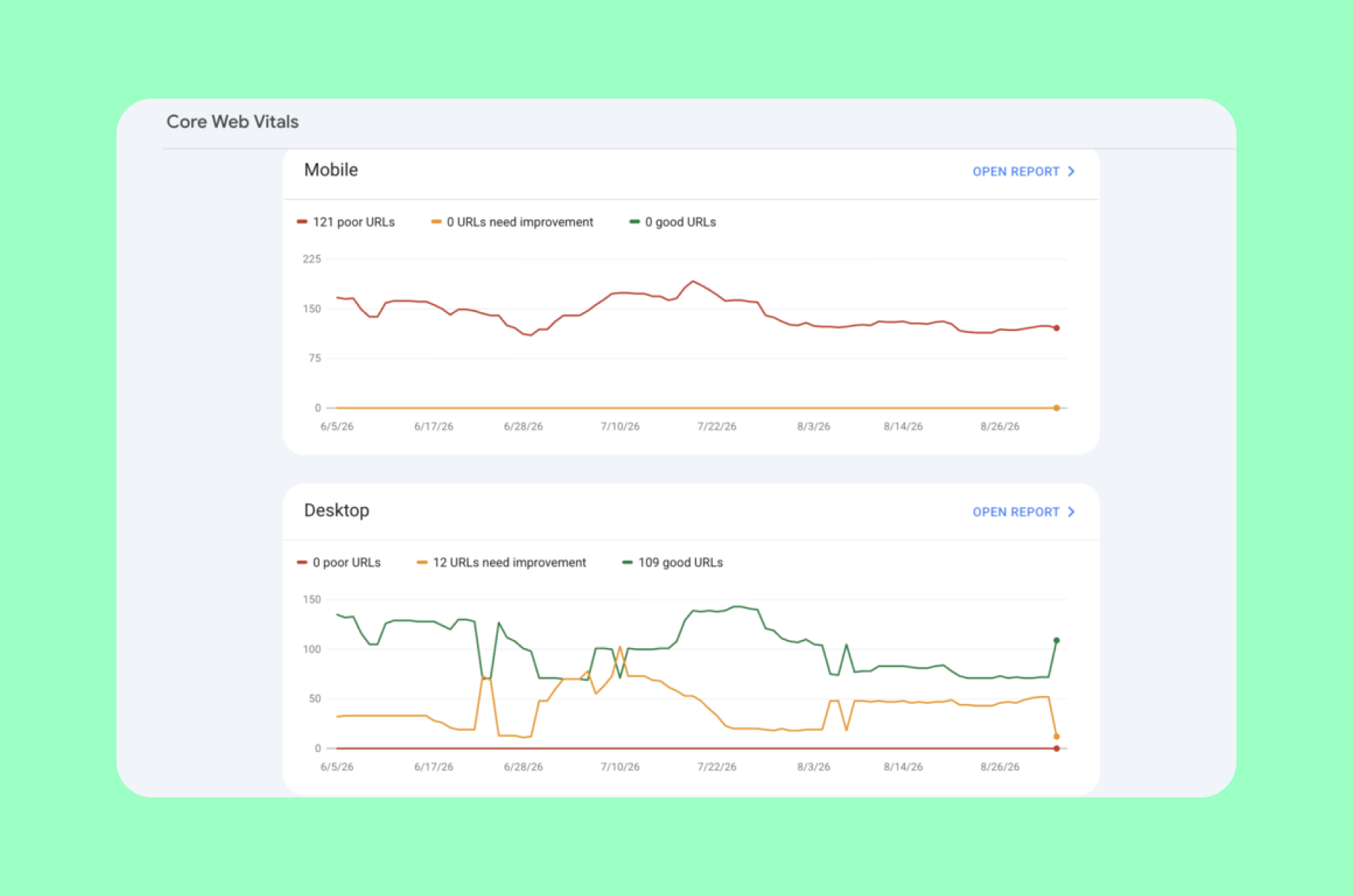
The Core Web Vitals report groups your URLs by status and splits mobile from desktop.
First of all, the 75th-percentile rule means you are not measuring your best load. You are measuring a bad-but-not-worst one, which is the point. Secondly, Interaction to Next Paint officially replaced First Input Delay as a Core Web Vital on 12 March 2024 (web.dev). If a proposal you are reading still lists FID, it was written against a metric Google has retired.
Check all three in the Core Web Vitals report in Google Search Console, or per URL in PageSpeed Insights.
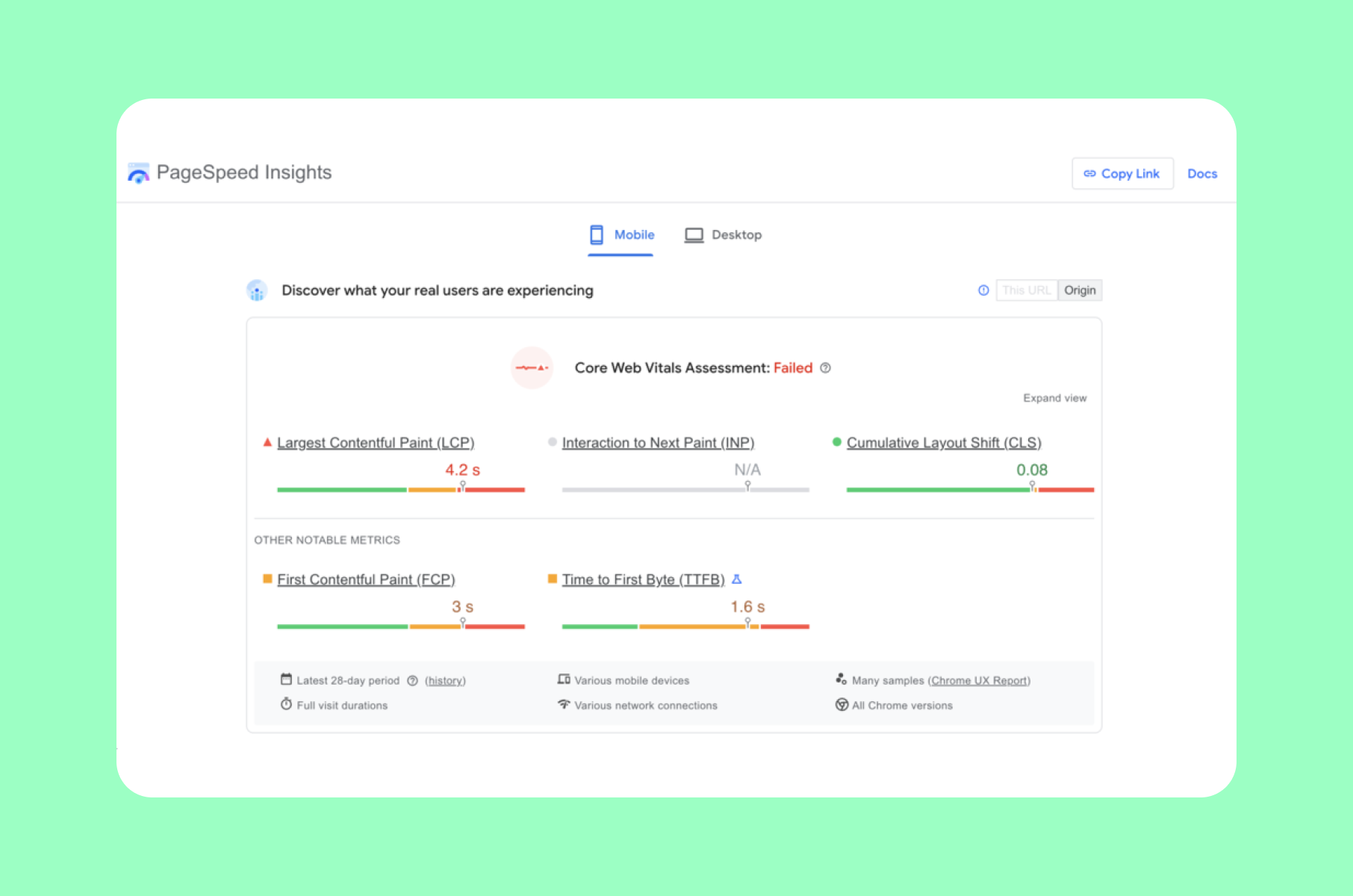
PageSpeed Insights gives you the same three metrics one URL at a time. Use the field data section rather than the lab score: the lab score is a simulation, while the field data is your actual visitors.
On the ranking question, be precise about what Google actually claims. Its page experience documentation answers this directly. Asked whether there is a single page experience signal used for ranking, Google says there is no single signal, and that its core ranking systems look at a variety of signals aligning with overall page experience. On Core Web Vitals specifically, Google says they are used by its ranking systems, but also that good scores do not guarantee top rankings, that there is more to page experience than these scores, and that chasing a perfect score purely for SEO reasons may not be the best use of your time (Understanding Google Page Experience).
Basically, fix these because slow, jumpy pages lose people. Any search benefit is a side effect, and it is not the business case.
GA4 engagement rate, and why "bounce rate" no longer means what you think
If you learned this metric in Universal Analytics, unlearn the definition. Bounce rate used to mean a single-page session. In GA4, it does not.
GA4 counts a session as engaged if it meets any of these criteria:
- lasts longer than 10 seconds, or
- has a key event, or
- has 2 or more screen or page views.
Engagement rate is the percentage of engaged sessions. Bounce rate is the opposite: the percentage of sessions that were not engaged (GA4 engagement rate and bounce rate).
So a visitor who lands on one page, reads it for two minutes, and leaves is now an engaged session rather than a bounce. If your reporting still treats every single-page visit as a failure, you are optimizing against a metric that stopped existing.
GA4 average engagement time
There is no metric in GA4 called "time on site." The one you want is built on user engagement, which Google defines as the amount of time someone spends with your web page in focus, or an app screen in the foreground. It measures when users are actively using your site, not when your tab sits forgotten behind eleven others (GA4 user engagement).
Average engagement time is the reported average of that. The distinction from old "time on site" figures is not pedantic, because those counted abandoned tabs. This does not, which makes it a far more honest number.
Search Console CTR, and the metric people confuse it with
Search CTR is located in the Performance report in Google Search Console: clicks divided by impressions in search results, both terms defined precisely by Search Console itself (What are impressions, position, and clicks?). It tells you whether the people who saw you in the results chose you.
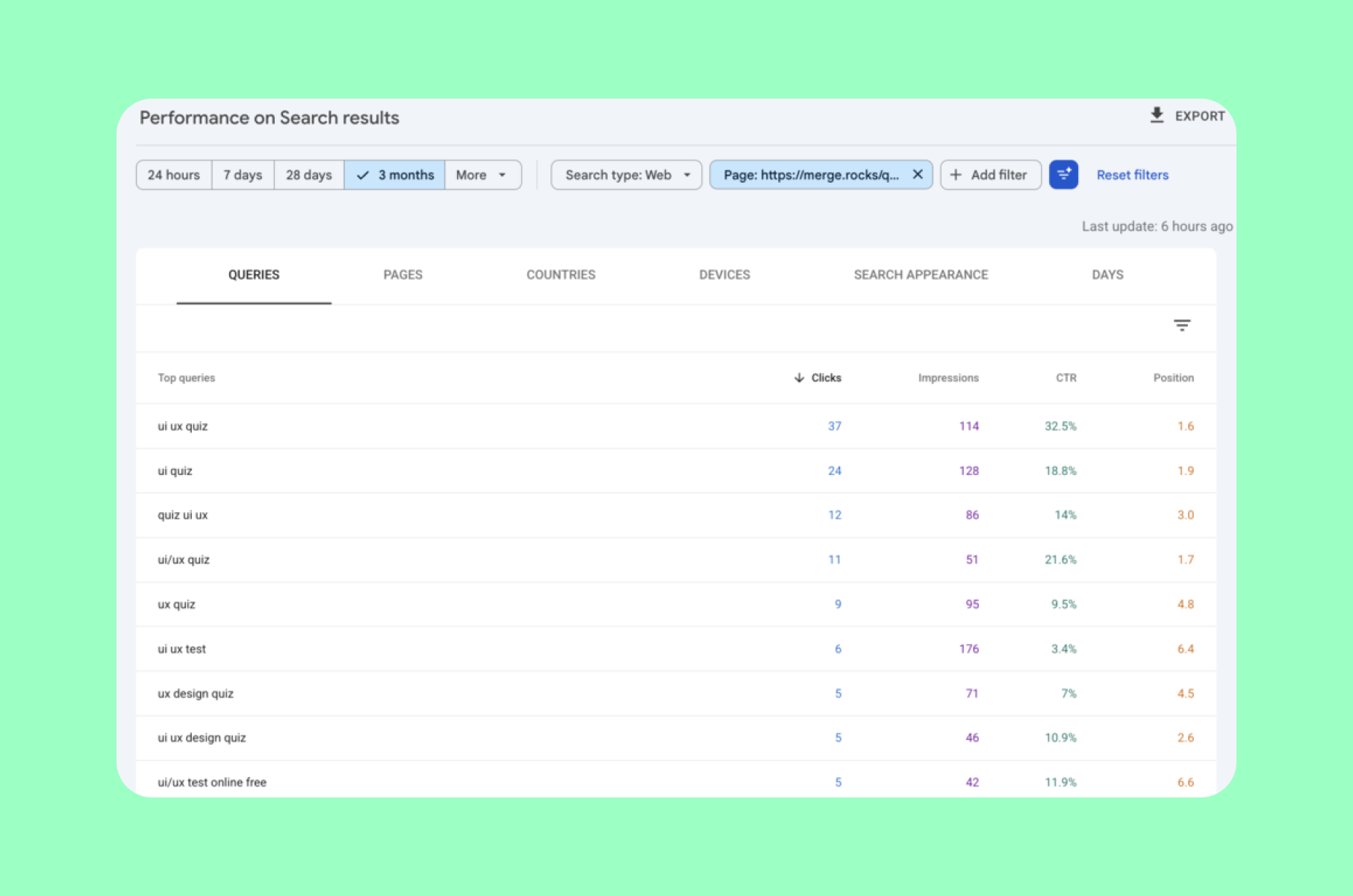
The Performance report is where a low CTR at a steady position becomes visible, a pattern that usually points at the listing rather than the page itself.
This is not the same as an on-page CTA click rate, the share of people who saw your "Book a demo" button and pressed it. That second number is not a default GA4 report metric. Measuring it means implementing events: GA4 events are what measure a specific interaction, such as someone clicking a link, and anything not covered by automatic or recommended events has to be defined as a custom event (GA4 about events).
Track both if you can. Just never let one stand in for the other in the same sentence, because they diagnose completely different issues.
Conversion rate, with a terminology warning that is now settled
The concept is unchanged: the share of visitors who complete the action you care about.
In Google Analytics, events that measure actions important to the success of your business are now called key events. The word "conversion" now refers specifically to an action used to measure the performance of your ad campaigns. The two were unified so that Analytics and Google Ads stop reporting different numbers for the same thing (Conversions vs. key events in Google Analytics).
In practice, in GA4, the thing you track on your website is a key event. If a report or an agency deck hands you "conversions" without saying whether it means Analytics key events or Ads conversions, ask before you act on the number.
Match your checks to a route
Run the five checks, then read across. The table points you at a likely route; it does not settle the decision on its own.
Signal | What to check next | Likely route |
Core Web Vitals fail on a few specific templates, pass elsewhere | Whether the failing component is shared across the site or lives in that template | Refresh |
Engagement rate holds up on most pages but drops on one or two key pages | Whether those pages changed recently, and how they differ from the ones that hold | Refresh |
Impressions and average position are steady while CTR is low | The titles and meta descriptions on the affected queries before touching the page | Refresh |
On-page CTA click rate is low while average engagement time is high | Whether the CTA is visible at the point where readers stop scrolling | Refresh |
Core Web Vitals pass and engagement is acceptable, but the site no longer reflects what you sell | Whether the gap is in the copy, the design, or both | Redesign |
Engagement rate is weak across nearly every page and engagement time is short everywhere | Whether tracking is configured correctly before concluding the site is at fault | Redesign |
You are rebranding, repositioning, or the product line has changed materially | How much of the current structure still fits the new positioning | Redesign |
Core Web Vitals fail sitewide on mobile | Whether the causes sit in the theme, platform or template layer, or in individual assets | Rebuild |
Adding a page type, a language or a product section needs developer work every time | Whether the limit is the content model or the way it was configured | Rebuild |
The CMS is unsupported or insecure, or nobody can edit the site without a developer | Whether an upgrade path exists on the current platform | Rebuild |
Two refreshes and a redesign have not moved the same numbers | Whether the measurement itself has been consistent across those attempts | Rebuild |
Website redesign vs rebuild, website redesign vs refresh, and website redesign vs new build are the same comparisons as above, written from the other side. The order of the words does not change the answer.
Two rules for reading this table.
Mixed results are normal, and they usually point to a refresh first. If two rows suggest a refresh and one suggests a rebuild, run the refresh and re-measure. A refresh can be stopped between items; a rebuild is much harder to unwind once it starts.
A number you have not checked is not evidence. If GA4 was never configured properly, the first project should be fixing the measurement before anyone redesigns anything.
When a refresh is the right call
Look for local failures: specific templates, specific pages, a specific step in a flow, or a listing problem that never touches your site at all. If the list is short and specific, you probably do not need a new site. You need to upgrade website elements that are measurably failing.
The named items on your list change in priority order. Platform, CMS, URL structure, information architecture, and every page you did not name stay where they are.
The same four steps a larger project uses still apply, just scoped down:
- Analysis narrowed to the pages that failed;
- Design on only those templates or components;
- Development against the specific thresholds you missed;
- Content revised on the affected pages.
Work sequenced this way ships in pieces, which is the answer to "how do I upgrade my website without freezing it for a quarter?"
This is the shape of our website upgrade service: performance, UX, SEO, and conversion work on the pages that are failing, without touching the foundation.
When a redesign is the right call
The signal here is different. The foundation performs, but the surface no longer represents you: Core Web Vitals within range, engagement weak across most pages, or a repositioning the current design has no way to express.
Design system, page templates, imagery, and usually messaging all change. Platform and CMS stay, and so does the URL structure if the project is scoped with that in mind.
The four steps widen here. Analysis takes in the whole site, the competitors and the business objectives, not just a shortlist of pages. Design produces a system that the templates are then built from, development rebuilds those templates on the existing platform, and content turns into a rewrite pass across the site.
A website redesign project is scoped for exactly this: a new design system and new templates on a platform that still works.
When a rebuild is the right call
Everything above assumes the foundation is sound. A rebuild is the case where it is not: platform-level performance failures, a content model that cannot express what you need, an editing workflow that calls for a developer every time someone adds a page.
Effectively everything changes, including things that were working. Your content survives if you migrate it deliberately. Search visibility is the part most at risk: careful URL mapping and redirects reduce the chance of losing it, but they do not guarantee the outcome, and some movement in rankings is normal after a structural change.
Analysis has to include a full content and URL inventory, design starts from information architecture rather than templates, development is a platform build, and content becomes a migration project with its own timeline. Scoping errors are costly in both directions, so treat the diagnosis itself as the first deliverable rather than something to settle from a blog post.
What each route costs you in scope and time
Nobody can give you a real price without seeing the site. What you can pin down before you talk to anyone is what drives the number.
What drives the scope of a refresh: how many page templates are affected, whether the fix lives in content or in code, and whether the change touches the design system or just one component. Refreshes are usually scoped as a list of discrete items, which means they can be sequenced and stopped between items.
What drives the scope of a redesign: the number of distinct page templates, whether a design system already exists or has to be built, how much copy is rewritten alongside the visuals, and whether the CMS can express the new templates without development work.
What drives the scope of a rebuild: all of the above, plus the two things teams consistently underestimate: migrating the content model and mapping every existing URL to a new one.
How long does it take to upgrade a website?
It depends on which route you are on.
A refresh has no single duration because it is a list rather than a project. The first item can ship while the rest are still being scoped, and the site never goes down. A redesign is bounded by the number of templates and by how long content revision takes, which is usually the step that slips. A rebuild is bounded by content migration and URL mapping, and those two run on their own clock regardless of how fast design and development move.
The more useful question to answer first: how long can you afford for the current numbers to stay where they are? A refresh can ship in pieces while the site keeps working, which is rarely true of a rebuild.
What drives website upgrade cost
The same logic applies to money. Website upgrade cost is driven by how many templates are touched, whether the work is content or code, and whether the design system has to change. The total number of pages on your site matters far less than teams expect: a single slow template used on fifty pages is one fix, not fifty.
What this looked like in practice
WeFight: a deliberately scoped partial redesign. WeFight, a healthtech company, wanted to enhance user engagement and drive conversions from their website to their app. They came to us with high bounce rates and calls-to-action that were not effective. Rather than replacing the site, we proposed a partial redesign strategy: optimizing some of the web pages and making the product easier to understand. The engagement is listed on the case study under Product UX Discovery, Website Upgrade, Product Design, and Website Design, and the work itself was stakeholder interviews, research, article design, a disease-related quiz integrated into the articles as a lead magnet, and mockups.
That is Route 1 with the boundaries drawn explicitly: named pages, named problems, a scope agreed before the work started.
Bytek: the other end of the range. Bytek's project was a full website redesign with Webflow development for a product-led martech company. Their Growth Director described the outcome in their own words:
"Since the launch, we've seen an increase in the time spent on the website, engagement rate, and lead acquisition." – Luca Ricci, Growth Director at Bytek
Read that precisely: it is a client's own account of a full redesign, not a measured result we are attributing to a targeted upgrade. We are not going to hand you a percentage, because we do not have one.
Rebuild, redesign or refresh: quick answers
What is the average cost to rebuild a website?
There is no meaningful average, and the ranges published online are mostly local-market figures for a different kind of buyer. What determines your number: how many page templates exist, whether the content model has to be migrated, whether every URL has to be remapped, and whether a design system has to be built from zero. Get those four answers first, and the estimate stops being a guess.
How much will it cost to redesign a website?
Less than a rebuild and more than a refresh, which is unhelpful until you know which drivers apply to you. A redesign is priced by the number of distinct page templates, whether a design system exists already, and how much copy is rewritten alongside the visuals. The single biggest swing factor is whether your CMS can express the new templates without development work. When it cannot, a redesign quietly acquires the cost profile of a rebuild. That is the question to ask before anyone quotes you a number.
How often should a website be redesigned?
Redesigning on a calendar is how sites get replaced while they are still working. Redesign when the numbers say the surface is failing: engagement is weak across most pages, or a site that describes a company you no longer are. Not when it hits an anniversary.
Website refresh vs redesign: what is the actual difference?
A refresh changes specific things on a site whose structure and design system stay in place. A redesign replaces the visual and interaction layer on top of a foundation that stays. If your platform and URLs survive but everything looks different, that is a redesign. If a handful of named problems get fixed and everything else stays, that is a refresh.
Website maintenance vs redesign: are they the same thing?
No. Maintenance keeps what exists working: updates, security patches, broken-link fixes. It does not change what the site does or how it performs against the five checks above. Website enhancements sit between the two, improving specific things instead of just preserving them. That is usually what people mean when they ask how to enhance a website rather than rebuild it. If maintenance is all you have been doing and the numbers have been sliding anyway, that gap is the signal.
Can I redesign without losing my search visibility?
You can reduce the risk substantially, though no one can promise you will keep every position. Treating URL mapping and redirects as part of the project rather than launch-day cleanup is what makes the difference, and the risk scales with how much of the URL structure changes, so a redesign on a stable URL structure carries far less of it than a rebuild. We have covered that specific problem separately in website redesign SEO: how to redesign without killing your SEO, which is the right place to go for the checklist.
Free website metrics improvement checklist
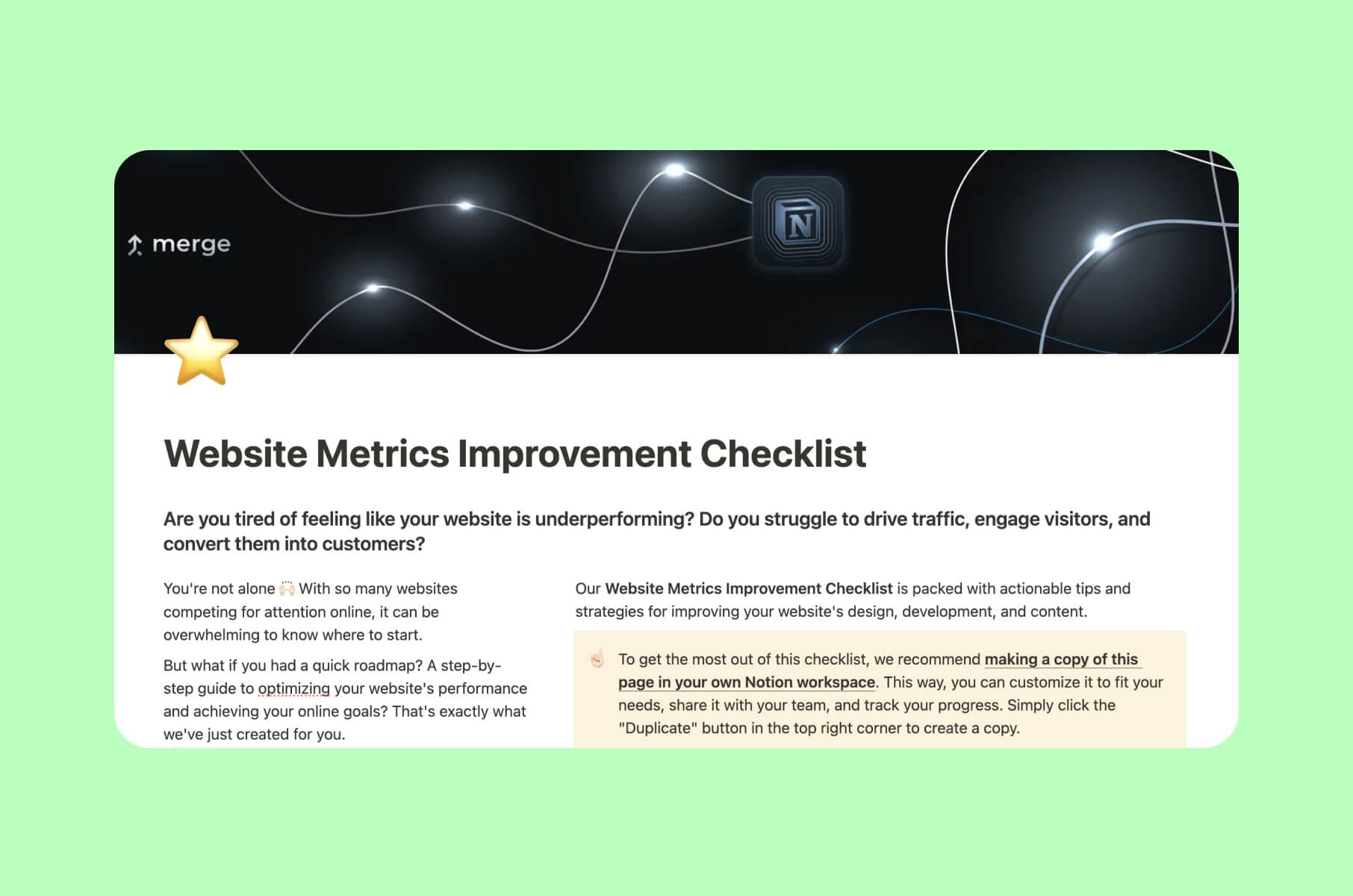
If you want to run the checks in this article in a structured way, we have put together a website metrics improvement checklist in Notion.
Not sure you need to change anything yet?
This article assumes you have already concluded that something has to change, and only helps you choose which project to run.
If you are a step earlier than that, still deciding whether the site is genuinely underperforming or whether it just feels dated, start with 10 telltale signs your website needs a redesign.
How to upgrade your website: run the checks, then pick the route
The practical answer to how to upgrade your website is the same sequence whether you are asking how to upgrade a website you inherited or one you built yourself: run the five checks before anyone names the project.
Improving your website gets a lot easier once you know which layer is failing. It stays hard as long as the whole site looks like one undifferentiated problem, which is where most of these arguments start.
And keep the middle option genuinely on the table. Choosing to modernize your website instead of replacing it does not fail more often than the alternatives. It just does not have a dramatic enough name.
If you want a second opinion on what your own numbers are pointing at, that is usually where we start.